Many years ago, when I was still silly enough to believe I could earn a living with photography, I went to renew an insurance policy. When the agent saw “photographer” listed on my form, she got very excited.
“Oh wow! You’re a professional photographer!” she exclaimed. “This is my lucky day.”
“How so?” I asked.
“Well, I’m a pretty good photographer myself, but I’m not a pro yet. But since you are, that means you know all the secret spots for taking the prettiest sunset photos.”
She paused, looking at me hopefully. “Come on. You can tell me, can’t you?” she asked with a coquettish tilt of the head.
“Umm… any place where you can see the western sky?” I answered hesitantly.
“Oooh! That’s a great tip!” she chirped. “Maybe some place high, so you can see more of the sky, right?”
“Depends on what you want,” I said. “Do you just want a photo of the sky, or do you want it to have some context? Maybe some buildings in the foreground? Or people? Or some kind of object or natural element that you want silhouetted by the orange glow?”
“No. I want something that looks professional. I don’t want anything blocking the view,” she stated emphatically. “So you’re saying I should go up on top of Mt. Seymour if I want to get the best sunset photos?”
I had said no such thing.
“I’m so glad we met. I knew a professional like you would have the answer.”
This may have been the precise moment when I realized I never again wanted to be called a “photographer.”
Pronouncement
“I am not a photographer.”
It’s a statement I’ve made several times, and one that some readers probably find curious — what with the whole photo-centric nature of ULTRAsomething these past 9 years.
A while back, in an article called “POV,” I shone a tiny light on this proclamation: “I know I’m not a photographer,” I wrote, “because every time I see an article titled ’10 Photos Every Photographer Should Know How To Take,’ I quickly ascertain that I have absolutely no desire to take any of them.”
It was one of my patented (pending) tongue-in-cheek over-simplifications of a more complex entanglement of issues. But it sufficed as a place-holder until I got around to penning a more thoughtful analysis.
So here it is: I am not a photographer, because I see photography as nothing more than a means to an end. It is not, in and of itself, a destination. Photography (or at least what I would consider captivating photography) is merely a way to express and share what it is that really interests you; concerns you; fascinates you. Show me a person who lists their primary interest as “photography,” and I’ll show you someone with a portfolio full of generic photos — the sort of person who reads articles titled, ’10 Photos Every Photographer Should Know How To Take.’
The best photographs exist because someone has a genuine interest in the photo’s subject — a person in a portrait; the rituals of culture; a moment of conflict; the subtle interplay of angles on a building — and not because they were looking for an excuse to activate their camera.
So if photography is a means to an end, and “the end” is to facilitate, document or motivate our true interests, then what exactly is my interest?
The mundane.
The mundane is what occurs when someone removes their mask. The mundane is nature on recess.
It’s easy to photograph the spectacular. But spectacular is a facade. I’m interested in how a subject looks or behaves for the 99% of the time it isn’t on display. I’m interested in the flower that’s already bloomed; the peacock that isn’t strutting; the theatre on its dark night; the student who graduates in the middle of their class; the river a quarter mile downstream from the waterfall; the commuter stuck between work and home. And yes, the western sky under the full, flat noonday sun.
It’s within the mundane where one finds true beauty. The photos I take are merely to remind me of this. But then, I am not a photographer.
“Shinjuku” was shot with a Leica M Monochrom (Type 246) and a 21mm f/3.4 Super-Elmar lens. It’s a photo that completely encapsulates the feeling I get from the back alleys of Shinjuku — my favourite place to hang out in Tokyo (even if I do it with a tiny bit of trepidation). No such trepidation exists in Yoyogi Park, which is where I shot “Extreme Portraiture”, using the same camera and lens. “Aftermath” was shot back in Vancouver at ISO 400 on Tri-X with a Leica M6TTL fronted with a 35mm Summicron (v4) and processed in HC-110 Dilution H.
REMINDER: If you find these photos enjoyable or the articles beneficial, please consider making a DONATION to this site’s continuing evolution. As you’ve likely realized, ULTRAsomething is not an aggregator site — serious time and effort go into developing the original content contained within these virtual walls.
I don’t take many vacations — two per decade has traditionally been my norm. So in 2015, when I inexplicably indulged in two such adventures (Iceland in March; Tokyo in November), I assumed that would suffice for another ten years. But a strange thing happened — after spending all of 2016 nestled snuggly in my Vancouver condo, I’ve suddenly developed another hankering to journey abroad.
Truth be told, Japan is always calling me — wooing me ever since my first visit in 1995. So, not surprisingly, my initial thought upon the hanker’s return was to simply organize another trip to Japan. But somewhere deep inside there’s a tiny voice that whispers, “try something new.”
If I were the sort of person who kept a “bucket list,” I’d have a ready-made catalog of places I’d like to explore. But since I’m well-practiced in the art of mortality denial, I never bothered to create such a list. As such, my travel inclinations are rather vague. Northern countries seem to exert the greatest pull — Sweden; Finland; Norway; maybe hop across the water to Estonia and Latvia. And there’s something about Eastern Europe that beckons me — I think it’s the architecture and the history, but I can’t say for certain.
So I decided to look at it from another angle. Why not choose a destination where I, ruler of the ULTRA empire, am the most revered? Maybe bask in a little idolatry; check out my statue in the town square; accept some big ol’ key to the city from the town’s mayor and see what it unlocks?
I cracked open Google Analytics to learn which countries sent me the most readers over the past couple of years. Not surprisingly, the top four countries were (in order): USA; UK; Germany; Canada. Hmm. With the exception of Canada (where I live, and thus likely exert a tiny bit of disproportionate influence), these are countries with rather large populations. I’m not sure this is telling me anything useful.
A more accurate representation of a country’s love and adulation would be found in a per-capita analysis. So I set up a spreadsheet listing the top-15 countries in terms of gross number of visitors to the ULTRAsomething site. I then looked up and entered the population of each country, and let Excel crunch the “per capita” numbers.
The results were somewhat surprising. None of the top four countries from the “gross number of readers” list made it into the “per-capita” top-4 list.
So which countries hold ULTRAsomething in the highest regard? From first to fourth, the list reads: Luxembourg; Switzerland; Singapore; Norway.
My first thought was, “well, Luxembourg gave us Edward Steichen, so maybe it’s only natural they like me.” But what’s not natural is the gap by which Luxembourg won. It wasn’t just first on the per-capita list of ULTRAsomething readers — it was first by a whopping 1,000%! So popular is this site amongst Luxembourgers, that I actually checked to make sure I wasn’t Prime Minister. Turns out I’m not. Xavier Bettel must be one heck of a photographer, composer and blogger because he currently has that distinction. I have yet to parse through the registry to see if, instead, I’m associated in some way with the Grand Duchy.
Switzerland, Singapore and Norway are all in a virtual tie with one another — far behind Luxembourg, but also substantially ahead of fifth place finisher, Australia.
I find it curious that only one of the top-4 countries (Singapore) lists English as one of its official languages. Apparently I’m more popular when no one can actually read what I have to say.
So I’m torn. Should I follow the data and make Luxembourg my next vacation destination? Or is there some weird statistical anomaly at play here? Maybe one of the runner-up countries wants to put together a bid? I’m looking at you Switzerland, Singapore and Norway. Make me an offer…
Sadly, the one country I dearly love to visit — Japan — does not appear anywhere on the list of top-15 ULTRAsomething worshiping countries. Cleary, my love of Japan is not reciprocated.
Ultimately, I’m not sure whether I’ve solved my vacation dilemma or merely complicated it. But at least I now know a little something about Luxembourg — handy should the web stats prove authentic, and the capital city key forthcoming.
“Full Travel Coverage” was shot with a Leica M Monochrom (Type 246) and a lens I forgot to document — though I’m guessing it might have been an old v4 35mm Summicron.
“Unencumbered Travels” was shot with a Leica M Monochrom (Type 246) with a Super-Elmar-M f3.4 21mm ASPH lens.
REMINDER: If you find these photos enjoyable or the articles beneficial, please consider making a DONATION to this site’s continuing evolution. As you’ve likely realized, ULTRAsomething is not an aggregator site — serious time and effort go into developing the original content contained within these virtual walls.
Fame changes everything. Or so I hypothesize. After all, I don’t have any actual firsthand experience upon which to base this assumption. But obscurity? Now there’s a topic with which I have practical knowledge.
In spite of its woeful reputation, I believe obscurity is a valuable and rewarding state of existence. Consider all those artists whose first album was their best. Or first book. Or first movie. The reason, of course, is that debut works are all created in obscurity — a feat that can rarely be replicated once fame arrives.
Back when I designed electronic music products, I most enjoyed the development phase. That time between the inception of an idea and the actual release of the product was filled with unbridled creativity and boundless enthusiasm. During this cycle, the product was truly mine. But at the moment of its release, it no longer belonged to me — it belonged to the world. The product became a slave to the whims and demands of the paying public, and I became its servant.
Naturally, the dismay I felt each time I “lost” a product was counter to the emotions of accountants, investors, and most everyone else in the company — all of whom were delighted to finally see my lengthy toils in seclusion turn to cash. And that’s the problem. Because as wonderful as obscurity can be, it’s not a currency the bank can convert. Which is an issue if you’re the type of human who benefits from the consumption of food. Compromise inevitably becomes necessary. And compromise is the enemy of pure creation.
In the early 1970’s, San Francisco’s legendarily anonymous avant-garde “rock” group, The Residents, formulated the “Theory of Obscurity.” It postulates that pure, unadulterated art can be created only in the absence of the expectations and influences of the outside world. In other words, obscurity is the only path to true art.
But even The Residents, while not achieving Adele-like levels of fame, have managed to carve out a 45+ year career in the fickle, fad-happy, micro-niche world of the avant-garde — a task, I would argue, that’s far more difficult than achieving superstar status in the pop world. Ultimately, because of their success, they could no longer uphold the standards of their own theory.
Fortunately, I’ve managed to maintain abundant levels of genuine obscurity throughout my life — and in doing so, I’ve discovered a flaw in my personal interpretation of the Theory of Obscurity. Originally, I assumed it meant that if one remained unknown, then one remained obscure. Obviously, the outside world expects nothing from an artist it knows nothing about. Therefore, I surmised, it cannot force its influence upon the artist. Obscurity = Invisibility. Or so I thought.
But over time I realized that invisibility does nothing to prevent an artist from placing expectations upon oneself. It does not prevent them from exploring the world and absorbing its influence. In reality, Obscurity > Invisibility.
All those photography monographs that I buy and analyze; all that music I dissect; all those articles I read — all have a cumulative and colouring effect on my own photos, music, and essays. All are indicative that the outside world has, indeed, encroached into my inner world and is exerting its influence — in spite of my invisibility.
So, every now and then, I’ll simply flip a switch and shut down a block or two of external sensory receptors. I’ve recently unsubscribed from every blog on the internet; abstained from buying any monographs; and ceased searching for photography that interests me. I’ve even stopped actively listening to music of any kind (though one can’t avoid absorbing it osmotically). I don’t want current fashion or even classical techniques to influence what I photograph, think, or compose. I want to give whatever is within a chance to escape without the weight of my own expectation.
Most believe that such willful ignorance is a tool of the closed-minded — a way to sequester oneself from the need to admit culpability or own-up to being wrong. Curiously, I view it as just the opposite — a way to open the mind and free oneself from the tyranny of predictability and convention.
Granted, the wholesale rejection of knowledge is not something you want to adopt for your entire life. And it’s certainly not something that coincides with my natural hunger for greater understanding. My take on willful ignorance is that it’s merely the second half of a symbiotic whole — a 2-step procedure, like breathing. The consumption of knowledge is analogous to breathing in; the rejection of knowledge is like breathing out. One must naturally follow the other.
So obscurity is not the catalyst that keeps the outside world at bay. Discipline is. Obscurity is not a cause; it’s an effect. And it’s a precious thing. Because any work I create in a state of obscurity will forever define me in my fame — should such an unfortunate fate one day befall me.
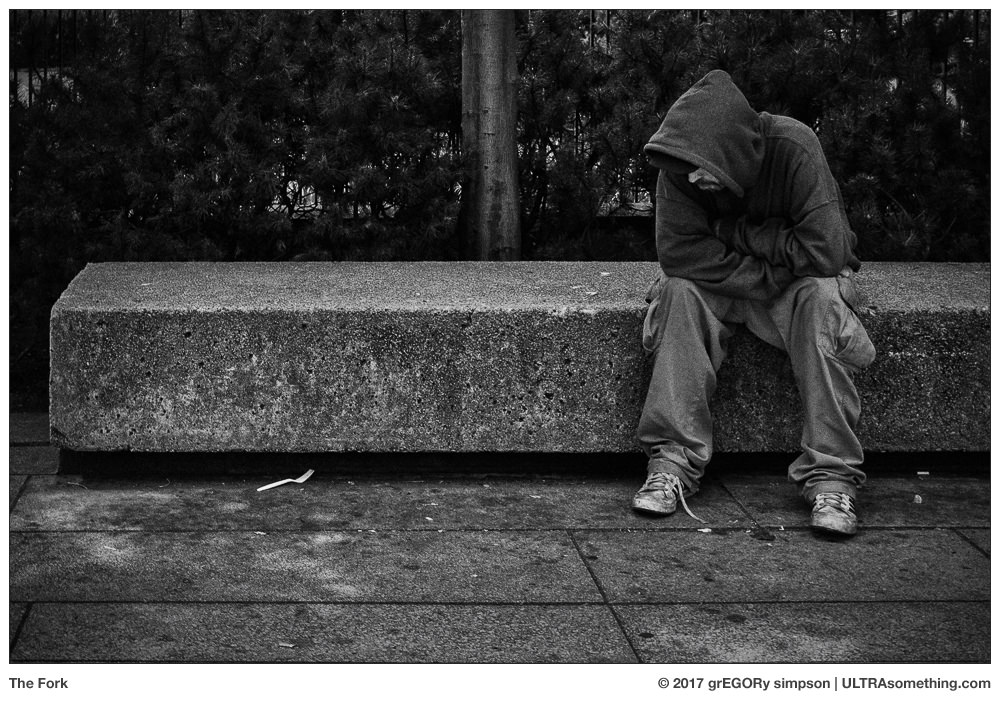
“The Fork” was photographed with a Ricoh GR. “Morning” was shot with a Leica M6TTL and a 35mm Summicron lens (v4) on Tri-X at ISO 400, and developed in HC-110 (H). Whether anyone thinks it’s a lousy photo or not is immaterial — that’s because it’s not a photo at all; it’s a metaphor.
“Even Mater Suspiriorum Was Once An Ingénue” is this article’s musical accompaniment. Is the title perhaps a bit too long? Probably. Do you have to be familiar with the films of Dario Argento in order for it (and some of the sound design) to make sense? Probably. Will this prevent you from enjoying the music? Probably not — but there are plenty of other things about this song that might. This song is, in many ways, truly indicative of what happens when outside influence is allowed to seep into our subconscious — even if that influence is, itself, something the average person would consider to be obscure.
REMINDER: If you find these photos enjoyable or the articles beneficial, please consider making a DONATION to this site’s continuing evolution. As you’ve likely realized, ULTRAsomething is not an aggregator site — serious time and effort go into developing the original content contained within these virtual walls.
Over the past several years, I’ve written numerous articles exploring the parallel nature of music and photography — and how the creative techniques I apply to one are often relevant to the other.
Distilled to the utmost purity, photography is simply a way to trigger an emotional response through visual stimulation, while music works through aural excitation. But curiously, in spite of this similarity, the expectations an audience places upon photographers and musicians couldn’t be more different.
To the general public, a good photograph is a good photograph — regardless of the photographer’s physical characteristics, personality, dress, manner or age. To that same public however, a good song is not just a good song — it’s an amalgamation of the musician’s appearance, personal style and aura.
No matter how good a musician is, the bulk of their audience likely comprises a single generation — with the musician’s relevance and popularity dictated by how closely they personify that generation’s definition of “cool.” A cult of personality surrounds musicians, and a listener’s emotional response to the actual music is inevitably filtered and distorted by their perception of the musician who performs it.
I believe this phenomenon occurs because sight is our dominant sense. Whatever we see influences whatever we hear, taste, feel or smell. Anything created to engage one of the non-sight senses is inevitably impacted substantially by what one sees while experiencing it. But if you create something (like photography) that directly targets someone’s visual sense, then any superfluous visual information matters little in comparison.
When we listen to music, we’re often engaged in some other activity — reading, writing, dining, socializing, etc. With music, there is ample sensory headroom remaining for additional stimuli, which means our enjoyment of it can be impacted substantially by our environment. For example, when people we admire engage with a particular type of music, we often choose to listen to the same music — meaning we allow far more than an auditory sense to dictate our listening choices. This “sensory headroom” is also one of the reasons people enjoy live music — it adds a visual element in which the appearance of the musician and the staging of the concert all filter and alter one’s involvement with the music. In contrast, when was the last time you bought a ticket to watch an artist paint a picture?
One of the ways musicians have maintained a visual connection with their audiences is through their choice of instrument. There are thousands of different musical instruments, the workings of which are often a mystery to the majority of people. Instruments have a certain mystique — even amongst other musicians. A trumpet virtuoso will likely become a ham-handed buffoon when handed a viola — yet both instruments can be used to play the identical tune. This plethora of instruments enables each musician to maintain a level of visual exclusivity that separates him or her from other musicians, and from the general public. If we watch someone extract fabulous sounds from an instrument that we, personally, have no idea how to play, it creates a certain allure — an element of “cool.”
Contrast this to photography. Sure, there are thousands of different camera models, but essentially they’re all minor variations of the same thing — a box with a lens and a button. Once you’ve taken a photo yourself, there’s nothing particularly exciting about watching someone else take a photo. Richard Avedon pushed a button, just like Henri Cartier-Bresson did, and just like Daido Moriyama does. Stylistically, their photos couldn’t be more different. But they all used essentially the same tool to create them. The fact one person’s tool was a medium format camera, another’s was a Leica rangefinder, and the third shoots with compact cameras makes no real difference. It’s tantamount to trying to draw a distinction between a pianist that plays a Steinway and one who plays a Yamaha — the subtle differences may impact the musician, but to the audience these instruments are one-and-the-same.
I never thought to dissect this distinction between the enjoyment of photography and the enjoyment of music until about a month ago, when I made my quasi-annual pilgrimage to the musical instrument and recording trade show, called NAMM. Previously, I had a much more knuckle-dragging, neanderthal-ish take on why good photography could stand alone, while music appreciation was inextricably tied to celebrity, trends and generational hipness. Photography fans, I postulated, were simply more “evolved.”
The fact that Robert Frank’s seminal 1959 album of photos (The Americans) remains one of the best selling photography monographs today is testament that good photography transcends generational cool. In contrast, how many youngsters seek out Charles Mingus’ equally-seminal 1959 album of music (Mingus Ah Um)? If you’re a young fan of modern photographers (regardless of genre) and you have a modest collection of monographs, you’ve probably got a copy of The Americans on your shelf. But if you’re a fan of Taylor Swift, Drake or Beyonce, you probably don’t have a copy of Miles Davis’ Kind of Blue on your iPhone.
So what happened at this years’ NAMM show? What transformed my barbaric “music fans are shallower” presumption into such cognitive enlightenment? Simple. I witnessed a performance that, based on my old theory, would have required me to admit that I, too, am shallow. And there’s no way I could let that happen…
NAMM attracts around 2000 exhibitors who display their musical instrument wares to over 100,000 attendees. Consequently, I see all manner of musicians playing all manner of instruments — cellos, trumpets, drums, organs, guitars, pianos, synthesizers, oboes, kotos, accordions, dulcimers, pipas, sitars, etc. Every one of these people seems eminently “cool” to me because, frankly, it’s cool to watch someone interact so expressively with objects of such exotic purpose.
But everything changed when I attended a lecture about using smart phones and tablets as musical instruments. It featured a performance by a world-renowned virtuoso keyboardist, jamming away on his iPad. Watching him play, I was certain I could never manage to articulate that iPad app with the dexterity, precision and feeling that he did. By definition, this should have made his performance seem “cool.” Yet it was one of the dullest and most uninspiring musical recitals I’d ever seen. Why? Because it was played on an iPad.
Watching someone play an iPad is visually no different than watching someone play Angry Birds. Or type a tweet. Or move funds between bank accounts. The end result may sound fantastic, but it’s a tedious thing to witness. I had no more interest in watching a virtuoso play an iPad instrument than I would have watching Josef Koudelka take a photo… and I dearly love Koudelka’s photos!
Technically, this should have thrilled me. A milestone had been reached! Finally, here was a case of music being produced solely for music’s sake! The point of a Koudelka photo isn’t to watch Koudelka take the photo — it’s to savour the end result. So shouldn’t the point of a musical performance be the music itself, and not the visual act of seeing it performed? Apparently not. Because I simply could not engage with it. And the reason I couldn’t was because of the way in which the music was being performed.
Tablets and smart phones are ridiculously common place. They are not purpose-built devices; they’re platforms. I’ve used one. You’ve used one. Roughly 7 billion of us own one or the other, or both. Those of us who don’t have likely witnessed scores of people who do. These are not objects of mystery, and the odds are good that you’ve (literally) bumped into someone using one on the street within the past 24 hours.
What do all these people do on all these devices? Who cares?! The point is, we all know that whatever we do on our devices, we do it because it’s easier and more convenient than doing it some other way. And so, when we see someone swipe out a musical performance on an iPad, it gives the illusion that this person is taking the easy way out — that they’re shortcutting the musical creation process. Would any of us want to go see Yo Yo Ma play if he was dragging his finger around on a cello app, as opposed to playing a real cello? Probably not. Even if he could obtain the same sonic result with the app, there’s something fundamentally uncool about it — as if Yo Yo Ma was no longer “special,” because he’s using the same device you just used to watch cat videos on YouTube.
And therein lies the problem. If you stick daggers into your iPad like Keith Emerson did with the keys on his organ, it’s not going to scream out in distorted anguish and bring 10,000 fans to their feet. It’s just going to quit working. You can’t play it with your teeth like Jimi Hendrix played guitar. You can’t even close your eyes and make dreamy “jam faces” while you play, because there’s no tactile feel to an iPad’s glass screen, meaning you need to constantly watch yourself play it.
So it was here, in this small conference room on the second floor of the Anaheim Convention Center, that I came to realize exactly how and why the appreciation of music can not exist wholly within the music itself.
And I further realized, having returned to writing music after my photography-centric hiatus, that it won’t be enough to simply stick my music up on the internet, and let it stand on its own merit. Music needs to be propped up in ways that photography doesn’t. If I want people to engage with my music to the same extent that they engage with my photography, I’m going to have to do more than just post it on the internet. I’m going to have to make the experience of listening to it seem cool. And somehow, I’m also going to have to make myself seem cool.
Alas, though I have now defined the task before me, I haven’t a clue how to approach its resolution. So if anyone knows how to make a middle-age man who plays a giant electromechanical instrument that looks remarkably like a 1940s telephone switchboard look “cool,” I’m all ears.
“Death of the Cool” was photographed with a Leica IIIc and a Voigtlander 25mm f/4 Snapshot-Skopar lens on Tri-X at ISO 400, which I developed in Rodinal 1:50.
“Symbolism” and “The New Cool?” were both shot on a Leica M Monochrom (Type 246); the first employing a Voigtlander 50mm f/1.5 Nokton lens, and the second a Leica f/2 Summicron (version 4).
The title is obviously (to me anyway) a reference to Miles Davis’ 1957 album, “Birth of the Cool.” That which was born must eventually die…
REMINDER: If you find these photos enjoyable or the articles beneficial, please consider making a DONATION to this site’s continuing evolution. As you’ve likely realized, ULTRAsomething is not an aggregator site — serious time and effort go into developing the original content contained within these virtual walls.
There are countless ways that photographers can exhibit their photos. Online sharing sites are, of course, the most popular technique, but other possibilities abound. This article discusses two such possibilities — both of which share an unexpected connection to ULTRAsomething.
The Metal Print
Metal prints have been wildly popular for the past several years, and many photographers have at least dabbled in the creation of a metal print or two.
I dunno. Maybe it’s the curmudgeon in me; or perhaps it’s simply that I have a modicum of taste — but I’ve just never felt the need to trundle down to the corner drug store and have ’em slap one of my photos onto a sheet of razor-sharp aluminum. And as long as I’m at it — ceramic coffee mugs, canvas tote bags, cork coasters, neoprene mouse pads, plastic luggage tags and silicon smart-phone cases are also all “on notice.” I happen to believe that the best receptacle for a photographic print is a nice, white sheet of quality paper. Metal? Sheesh, that’s for license plates.
Which brings me to my first public mea culpa of the year — after nearly a decade of resistance, I’ve acquiesced to a client’s request for a metallic version of a photograph.
The client? The Province of British Columbia.
The destination of said metal print? A license plate.
OK. So it’s not a mea culpa as much as an admission that British Columbia managed to call my bluff.
Apparently the province is issuing a new set of vanity plates for anyone who wishes to adorn their vehicle with something other than the standard string of dark blue, random alphanumerics on a white background. Instead, BC residents can now order a license plate with their choice of three photos: Porteau Cove Provincial Park, The Purcell Mountains, or a Kermode bear.
The Porteau Cove photo is mine. Well, technically, the copyright belongs to BC Parks — meaning it’s theirs to do with as they please, which apparently includes stamping it on a license plate.
I took it in the summer of 2008, in the waning days of my commercial photography “career.” Surprisingly, I have a rather vivid memory of the surrounding circumstances. It was late in the evening, and I could tell the sun would eventually set behind a nearby hillside. I knew, if I was lucky, that the sun’s rays would reflect off the sea mist and flare across the lens, rendering a “painterly” effect.
In spite of this, I nearly packed it in early. If I left before sunset, I’d be home by 10:30pm — a “short” 16 hour day. If I waited to take the sunset and twilight shots, I wouldn’t make it home until after midnight.
“Who really needs to see another hackneyed sunset photo?” I asked myself.
Nine times out of ten, I would probably have answered “no one,” packed up my gear, hiked back to the car and left for home. But today was different — I had a wicked, horrible migraine. I was actually in too much pain to drive; much less traipse a mile back to the car. If I waited and left after sunset, the soothing blanket of darkness would give me a tiny chance to better endure the drive. So, coiled in a fetal position around my tripod, remote shutter release in my hand, I decided I might as well go ahead and take that blasted photo.
And that blasted photo is now a license plate. I can’t really claim that I’m proud of this fact, but I’m certainly amused.
The Magazine
A few years back, I wrote a review of a new photography magazine called “Littlefields.” Technically, it was a review of the Littlefields concept more than of the magazine itself. I admired editor Jim Clinefelter’s courage to sell physical content in a digital content world. I admired the quality and diversity of the work contained within, and I admired the format itself — a small stack of 4 x 6 prints, culled (usually) from a larger selection of prints, which decreased the likelihood that any two issues would be exactly alike.
I admitted to a modicum of envy. Releasing my own work in printed, serialized form had long been a fantasy of mine, but I lacked the courage to buck the online distribution trend. Besides it was already hard enough getting people to engage with my content. To suddenly ask people to pay for photos (even if they were printed) just seemed like an insurmountable hurdle. So, after initially being encouraged by the Littlefields model and re-visiting my designs for a small, quarterly “accordion” style magazine, I went back to the simplicity of chucking my stuff up on the ULTRAsomething site.
I am thus pleased to announce that, in spite of my cowardice, some of my photos will soon be appearing in an actual photo magazine. And that magazine is… Littlefields!
Yup. Issue 19 is dedicated entirely to the photography of yours truly. So if you’ve ever dreamed of owning a few printed ULTRAsomething photos (even if they are only 4 x 6), now’s your chance to get TEN of ’em in one package.
Since Littlefields requested that the images conform to some sort of theme, I chose “portraits.” If I were any good at lying, I’d claim to have curated the photos such that, in their entirety, they formed a ‘portrait’ of mankind. The truth, however, is far more fundamental — I simply chose to include only photos that were taller than they were wide — “portrait-oriented” photos.
I provided Littlefields with a master pool of 20 photos. In classic Littlefields fashion, each issue of the magazine will ship with a random selection of 10 images, meaning if you buy one issue for yourself, one for your spouse, one for your parents and another for your in-laws, each of you will get a magazine with a slightly different selection of photos.
Anyone interested in owning what will surely become a valuable asset (I am, after all, on a license plate), should pop on over to the Littlefields site and buy an issue or two. Heck, while you’re there, why not check out some of the available back issues?
Personally, I’m hoping this issue sets a new sales record for Littlefields. That way, the magazine will be forced to publish a second collection of my photos. Should that happen, I’ve cleverly decided that the next theme will be “landscapes” — and I don’t mean the sort that wind up adorning a BC license plate.
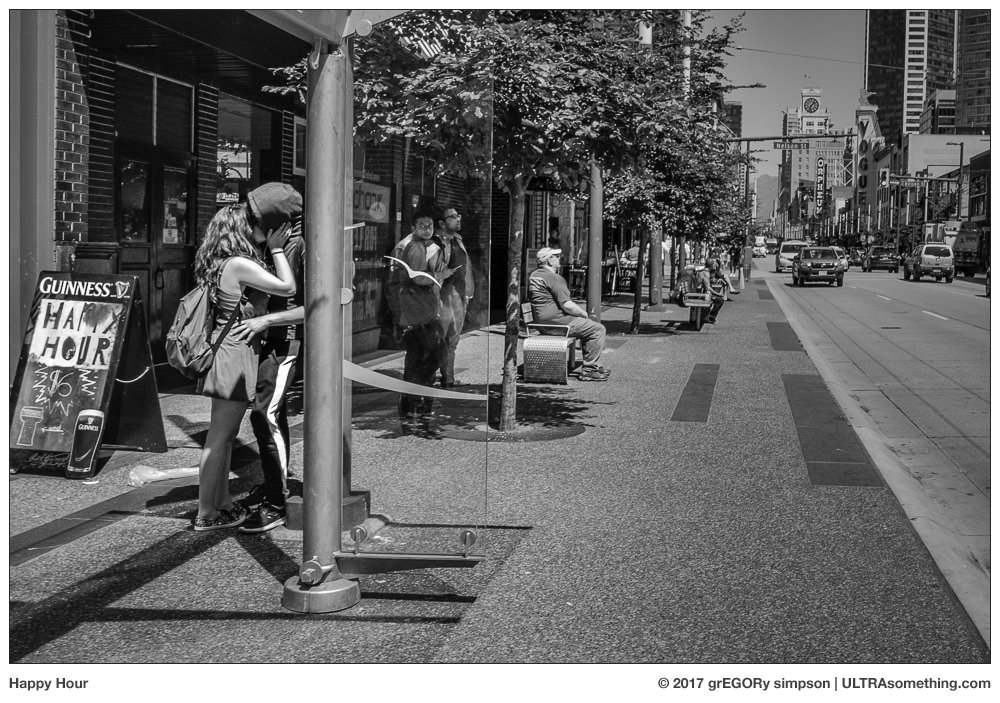
“Happy Hour” was shot with a Leica M (Type 246) Monochrom with a 21mm f/3.4 Super-Elmar lens, whilst “A Complex Relationship” came courtesy of the Ricoh GR.
I snatched the BC Parks License Plate ad off some official government website. Hopefully, no one in the BC government will find cause to complain — after all, my contract did include the right to publish my own BC Parks photos for “self promotional” purposes. Though, admittedly, I’m not sure exactly what I’m promoting. Perhaps it’s my ‘skill’ as a license plate photographer? In which case, I hereby announce that I’m willing to entertain any and all offers to travel to exciting or beautiful destinations worldwide for the purpose of taking your license plate photo! There… that should satisfy my legal obligation to “self promote…”
REMINDER: If you find these photos enjoyable or the articles beneficial, please consider making a DONATION to this site’s continuing evolution. As you’ve likely realized, ULTRAsomething is not an aggregator site — serious time and effort go into developing the original content contained within these virtual walls.
I was never particularly engaged with fashion. Oh sure, there was that period in the early 1980’s when my hair was so feathered, frosted and fab that it would slip out while I slept to go party with Duran Duran. And I often wore bias-cut clothing so asymmetrical that I appeared to be askew even when standing upright. But such youthful dalliances soon receded, and by my mid-20’s I began to view fashion as nothing more than a superficial divertissement of the supremely shallow.
In fact, many of my choices were so far outside the dictates of current fashion that society didn’t even consider them to be unfashionable choices — just “eccentric.” For example, by the mid-80’s, I’d shunned pop music entirely and was listening almost exclusively to a potent cocktail of 19th century bel canto opera, 20th century classical avant-garde, and all manner of music from the early Middle Ages — from plainchant to monophony to those heady heterophony grooves!
Being fashionless isn’t without its downside, of course. Paucity of choice and lack of availability plague anyone whose interests don’t align with mall mentality. But I soon came to realize that having eccentric tastes was far preferable to having those tastes become validated by fashion.
This fact first came to my attention in the early 1990’s when banded, collarless shirts become trendy. I had taken to donning collarless shirts in the mid-80’s after deciding I liked wearing sport coats but disliked wearing ties. Pairing a sport coat with an open collar looked ridiculous — pairing it with a buttoned collar, sans-tie, looked even more so. Turtlenecks were a non-starter. So, having seen some period films showing men in the 1930’s wearing collarless shirts, I set out an a mission to find them. It wasn’t easy. Mostly I was limited to scouring costume and period-wear mail order catalogs (pre-internet days). Inevitably, if I found one, it was offered only in white — but collarless was “my” thing, so I’d order it. Not once did anyone suggest I looked “out of style,” because few had ever seen this style.
That all changed in the early 1990’s when the collarless look hit the fashion magazines. Suddenly, collarless shirts were available everywhere, and in any hue and pattern I desired. It was wonderful, and for a couple of years I felt like I was in heaven — until the fashion tide turned and heaven revealed itself to be a facade for Hell.
Wearing something no one has ever seen is one thing. Wearing something everyone is wearing is something else. But wearing something that’s “last year’s” or even “last decade’s” style is tantamount to having the word “LOSER” tattooed on your forehead in Comic-Sans. I was forced to abandon “my” look because, once the trend subsided, it had become synonymous with “clueless, backward dweeb.”
And this is how I discovered that fashion has a way of destroying everything it touches.
Now, take the phrase “banded, collarless shirt” and replace it with “black & white, candid ‘street’ photography,” and you’ll see what I’m currently struggling with. How do I make a difference in a genre that was once merely an obscure photographic sub-classification, but which has become increasingly trendy, over-done, under-thought and watered-down?
Sometime in the last year or two, I stumbled upon a list of “50 Vancouver street photographers you should follow.” Now, not to be arrogant or anything, but I think I’ve been doing it long enough, well enough, thoughtfully enough, and with enough of a following that my name should have appeared somewhere on that list. It didn’t. But that’s not actually what I found troubling. Rather, it was that a town as small as Vancouver even had 50 street photographers to follow — 51 if you count the guy who didn’t make the cut. But that’s fashion for you. And so, much like the collarless shirt debacle, I’m feeling the necessity to abandon the very style of photography I once thought to be “mine” because fashion has claimed it for itself.
Similar issues hold sway in my music career. Forty years ago, I built my sound on synthesizers, and I steadfastly stood by their use — well after they ceased to be “cool.” By the time I was writing and recording as “Grace Darling,” the grunge movement was in full swing, and guitars (once shoved from the limelight by synths) were back on top. Grace Darling’s use of synthesizers was, in fact, the primary reason the alternative music press gave for ignoring the band. “Synths are out of style,” the editor of one major music publication told my band’s label owner, Woodie Dumas. “Truth is, all our editors really like that Grace Darling album, and we listen to it all the time. But we know our readers won’t like it because of the synthesizers.”
Electronic music is once again popular — perhaps more so than ever. Which is thrilling, because it means I have a cornucopia of choice when purchasing new musical equipment. But today’s trend is tomorrow’s punchline, and synth-based music will inevitably face a swift and vicious backlash. Knowing this, and having witnessed it so often in the past, I’ve opted to get in front of the situation. If the music I create today is enjoyed precisely because of its reliance on synthesizers, then it’ll be despised tomorrow for exactly the same reason. So I’m working overtime to write the sort of music that I hope fans of modern electronic music will dislike. That way, though I limit my potential audience today, I insure those who do enjoy the music actually enjoy it for what it is, and not simply because it’s fashionable. That way, “my” thing can stay “my” thing, and it doesn’t become a victim of fashion whim. I haven’t yet figured out whether this is a clever strategy or a stupid one.
So this is why ULTRAsomething seems to be a little less focused lately — why the photos seem more “experimental” than “street,” and why the music strives to avoid commercialism, when it would be so easy to just churn out catchy, danceable pop tunes. It’s just me trying to put as much distance as I can between passion and fashion. ‘Cause lets face it — the only thing sadder than chasing fashion is having it chase you.
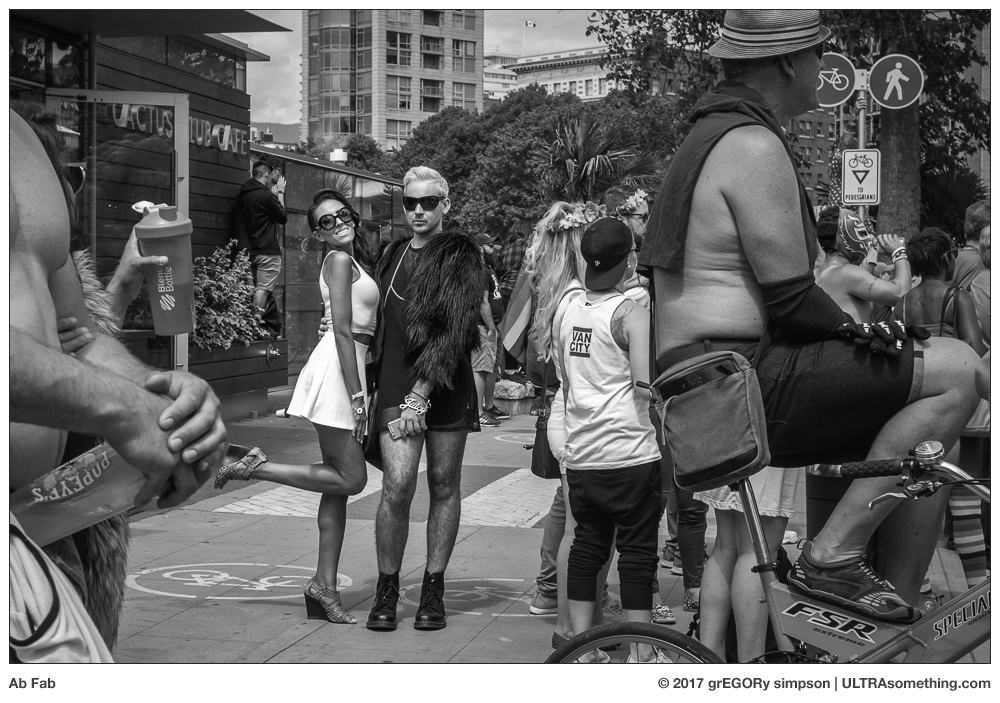
“Ab Fab” and “Harajuku” were both photographed with a Leica M (Type 246) Monochrom fronted with an old v4 35mm Summicron-M lens. “Facts and Fictions” was shot with a Ricoh GR digital camera. All were chosen to accompany this article for painfully obvious reasons. “Four Year Window” is my most recent musical composition, and has absolutely nothing to do with fashion — save for it being unfashionable enough that it’ll never be played in any dance club anywhere and at any time now or in the future. It’s also my favorite composition of 2016, suggesting my dogged determination to avoid popularity is beginning to find its musical voice…
REMINDER: If you find these photos enjoyable or the articles beneficial, please consider making a DONATION to this site’s continuing evolution. As you’ve likely realized, ULTRAsomething is not an aggregator site — serious time and effort go into developing the original content contained within these virtual walls.
A couple of months ago, I substantially altered ULTRAsomething’s site structure. By eliminating all subdomains, integrating all content under a single URL, and awarding top-o-the-heap, landing-page status to the essays, I liberated myself to write about topics other than photography.
Since then I have published two articles, both of which were about… well… photography.
So what happened to ULTRAsomething’s ambitious plan to increase its scope while simultaneously decreasing its readership?
Its been incubating.
Saying that I wish to write about “topics other than photography” is essentially a maundering way of saying “music.” I wanted to give myself an outlet for new music, and an opportunity to write about it. Music was my first love, my greatest motivator and, after an eight-year hiatus, is a renewed and predominant passion.
So these past few months, while I struggled to squeeze out two new photography articles, I was rather effortlessly churning out new tunes. Five of them to be exact. Six if you count the fact that my last article contained a vBook with a new musical score.
This incubation period was necessitated by my need to rectify the world I once knew with the world today. Decades ago, when I first became involved with music, the expected presentation method was the album — a collection of songs with a generally cohesive style and sound. “Serve the album” was the mantra burned into my subconscious. Serving the album meant settling on a sonic direction; spending a year writing and recording new music that conformed to that direction; selecting the best songs and arranging them in the best order; shipping the master recording off to the record company; basking in the thrill of seeing your music on the shelf at Tower Records or hearing yourself on the radio; then repeating the process all over again.
In truth, this distribution model was extinct long before my musical sabbatical began. My band’s record label (C’est La Mort) went out of business in the mid 1990’s, and I spent the next decade musically directionless — subjugating my own musical inclinations for whatever trend might help land me the odd scoring gig, or support whatever music industry product I was designing at the time.
It was this very lack of direction that eventually lead me to abandon music, and to concentrate on commercial photography. But it wasn’t too long before that, too, succumbed to the dreary existence that comes from wasting a passion on someone else’s vision.
And this is when I first recognized the synergy that exists between my musical and photographic pursuits; and how efforts in one endeavour could apply to the other. I’d spent too many years destroying my musical passion searching for commercial reward. So when a similar trend began to seep into my photography, I was able to recognize it and alter my approach — abandoning commercialism, and refocussing my efforts on becoming the photographer I wanted to be, and not the photographer I thought the world wanted me to be. I started the ULTRAsomething photography blog and became a teensy-weensy legend ’round photography’s more obscure outer fringes. Did it make me money? No. But it provided something more valuable — happiness, purpose, meaning and pride.
So a few years ago, when I felt those old musical passions rumble somewhere deep within, I was careful not to artificially expedite their return. I opted for an organic approach — if I felt like writing music, I did. If a few weeks passed and I didn’t feel like writing music, I didn’t stress over it. The strategy worked — music re-entered my life, and has now become the predominate passion that it once was.
Which meant it was time to apply some of what I’d learned from photography back into music. First and foremost, this meant recognizing that a similar happiness, purpose, meaning and pride are indeed within my musical grasp. All I needed to do was model my musical distribution after the one I established for photography. In other words — free web distribution and some accompanying paragraphs to give it a semblance of purpose.
And so, when you click the MUSIC link on this site’s Menu Bar, you’ll find yourself on a page that links to my current musical output. It’s an output void of commercial expectation. It crosses genres and fuses methodologies in ways that likely please only me. It is, in many ways, the antithesis of the album-oriented aspirations of my youth. If I feel like pursuing a musical idea, I pursue it — free from the worry of whether it fits within a particular classification, or whether it furthers or invalidates my “image.” Whatever ephemeral impulse guides me to create a particular track is accepted without judgement. Thus, the music I create is ephemaural music.
Because I’m following flights of fancy, I’m not currently grouping this music in any way — there is no this genre or that genre. There are no playlists, save for the big giant one that plops each new song at the top of a growing list, along with an accessibility rating from 1 to 10. Any song can be played without leaving the site. If one wishes to learn more about a particular song, they need only click the song’s name, and they’re whisked away to a page on my Bandcamp site where I’ve written information about that song. In further support of my cross-pollination of passions, I’ve also chosen to tag each song with a uniquely identifying photo or graphic.
For example, the song named Ghost of ’83 has an accessibility rating of 10, meaning it’s about as unchallenging and simple a piece of music as I could possibly write. Clicking the song title takes you to its Bandcamp page, which contains the following description:
Ghost of ’83:
“Have you even searched your dwelling for a lost object, only to unearth something completely different — something you didn’t know you still had? Maybe it’s an old 10 Ruble Soviet coin you got in grade school. Or maybe it’s an unmarked cassette mix tape. Whatever it is, you have no idea why you kept it, nor do you even recall making a conscious decision to do so. It’s just there — a miraculous survivor of numerous spring cleanings and a surprising reminder of a past you thought you’d forgotten.
The mind sometimes works in a similar way. You reach into the old hippocampus to extract a recent idea you wish to explore, and instead you pull out some dusty old remnant of a synapse that hasn’t been switched on in decades.
This is precisely how this particular song came about. Four days ago, I was messing around with a software emulation of a Buchla 266 Source of Uncertainty module, and a particular cluster of uncertain notes managed to exhume a small section of my long-dormant early-1980’s musical brain. Back then, influenced by slasher movie soundtracks, New York avant-garde minimalism and German New Wave, I was bravely writing and recording a rather unsophisticated style of instrumental technopop, which I somehow thought would prove popular enough to get me into the film scoring business. Ahh, youth.
Anyway, two hours after first realizing my new ideas sounded a lot like something I might have written in 1983, I had a complete recording — a four minute composition generated entirely by a heretofore forgotten remnant of my past self. Upon finishing it, I contemplated ‘modernizing’ it — replacing the anemic drum track with something less pedantic; rewriting the bassline so as to remove its naïveté; Maybe giving it a modern sheen and an infusion of more esoteric sounds. But I stopped myself. This song came entirely from a piece of me I didn’t know still remained. Why taint that? Why deny that ancient little synapse its very own unadulterated moment?
And thus was born ‘Ghost of ’83.’
Hmm… I wonder where I stored that old prog rock neural network of mine?”
Similarly, the song named Krelic has an accessibility rating of 2, meaning that engaging with its “charms” will prove rather onerous to a sizeable chunk of the world’s population. Clicking the song title takes you to its Bandcampp page, where you’ll read the following:
Krelic:
“In the 1956 film ‘Forbidden Planet,’ Dr. Morbius introduced us to a mysterious, ethereal and wholly electronic form of music, which was produced over a half-million years ago by the ancient Krell civilization. Though not knowingly descending from the Krells of Altair IV, I am a disciple of their music, and have prepared this humble homage.
A word of warning: while wildly popular amongst the kids on Altair IV, Krell music is not overly accessible to earthlings. If ‘Revolution 9′ is your favourite song on The Beatles’ White Album, or if you consider ‘Several Species of Small Furry Animals’ to be the pinnacle of the Pink Floyd catalogue, then you might enjoy ‘Krelic.’ (Though, truth be told, both of those songs have more in common with Pierre Schaeffer and Karlheinz Stockhausen than they do with ancient Krell music — but we’re diving into semantics here).
Because I lack the immense mental facility required to compose and perform such music directly, I have resorted to inhuman tactics and turned over full control to the modular synthesizer. By patching it such that it derives all its pitch, timbre and rhythm cues solely from modules feeding back into themselves to form complex networks of control systems, I insure that zero human intervention is required. Songs are ever-altering themselves — directing themselves as the electronic circuitry sees fit, and not as a human would. For this particular recording, I configured one of these self-evolving patches one evening before bed, then allowed it to continually play and metamorphose throughout the night. In the morning, I simply grabbed a cup of coffee, walked into the studio and hit the RECORD button to capture a 10 minute ‘snapshot’ of the song’s evolution some 12 hours after first patching it.
Who knows? In a half-million years, maybe it’ll have a few devotees of its own?”
Moving forward, these songs and their expositions might become posts in their own right (write?) — particularly if I think there’s something instructional, inspiring or even (gasp!) entertaining about a tune’s particular tale.
So there you have it. ULTRAsomething is now officially a two-topic site. As I stated previously, I’m sure this decision will cost me readers, and that’s a price I’ve accepted. Although it’s tempting to use my newfound freedom as a soapbox for all manner of issues, the site will maintain its focus on the angst and agony of creativity. For now and the foreseeable future this means “music” and “photography.” To create and write about other so-called “art forms” would require more commitment and dedication than I’m likely capable of generating in these waning years.
Because its referenced content is a hodgepodge of collected snippets previously posted ’round the ULTRAsomething universe, there’s not much to glean from a detailed description of it all, particularly when every source would have a different description. Most music is created on a rather bulky modular eurorack synthesizer, though a few other external hardware synths often end up in the mix (as does the occasional software-based synth). Recording always happens in either Ableton Live or Apple Logic Pro X. Mastering is usually done with Izotope Ozone 7, though occasionally something from Waves works its way into the mastering process.
REMINDER: If you find these articles to be entertaining, inspirational or even helpful agents in your war on insomnia, please consider making a DONATION to this site’s continuing evolution. As you’ve likely realized, ULTRAsomething is not an aggregator site — serious time and effort go into developing the original content contained within these virtual walls.
I was originally planning to shape this article around the subject of influence. How it’s important for photographers to look beyond the confines of the photography genre for new sources of inspiration. How painting, literature, music, mathematics, architecture and nature all can and should play a substantial role in guiding one’s photography. But that’s all a bit obvious, isn’t it?
So I scrapped the idea of writing about influence as a general topic, and decided to write specifically about the influence Mark Rothko had on this particular series of photographs. It featured a meandering yarn that detailed my persistent desire to produce photos imbued with a similarly soothing hypnotic geometry, and how I chose to employ slit-scan photography as a possible means to this end. Ultimately, the discussion managed to teeter between trite and pretentious — a rather spectacular feat in its own right — neither of which matched the tenor I had originally hoped for the article. So that draft, much like the previous, exited my Mac via the trash icon.
I switched tactics — re-focusing the essay to explore my ongoing fascination with chance. Specifically, I would discuss how I frequently devise some sort of strictly controlled environment under which photos must be taken, but then leave the actual photos to chance. I’d just done something similar to create the images that accompanied my previous article, Folding Time, and here I employed the same technique — but with an entirely different set of rules under which serendipity was allowed full rein. The topic proved worthy, but this particular set of photos was perhaps a bit too deeply dipped in seren to effectively illustrate my point. So, draft #3 also found its way to the trash.
The slit-scan photos sat in limbo for a couple of months, waiting for an outlet. Upon revisiting the exposures, it occurred to me that a vBook would provide the optimum showcase. So I created one. I then decided to pen an essay about the formation of the vBook itself — specifically, about how the soundtrack was composed as a sonic simile: how the fleeting threads of melody were like the horizontal scan lines; how the dense harmonic timbre corresponded to the film grain; how the occasional metric hiccups were meant to represent the randomly occurring vertical frame lines. After writing for the better part of a day, I suddenly realized that no one other than me would care one bit about any of this…
So, in the end, I decided to write about nothing. It’s a vBook. And just like all the other ULTRAsomething vBooks, it combines original photos of a unifying theme with original music that (hopefully) reinforces that theme. This particular theme happens to be slit-scan photos. Either you like it or you don’t. Really, what else needs to be said?
What happens when you take a Lomography Spinner 360 camera down to the docks at Vancouver’s False Creek, but instead of holding the handle while the camera rotates, you hold the camera and let the handle rotate? You get photos a lot like this. All photos taken on Bergger BRF400+ film and developed in a 1:50 solution of Rodinal (Blazinal). The soundtrack was recorded into Ableton Live, and is mostly a product of modular synthesis, though a couple of software-based virtual instruments were used for the piano part and the string-synth pad. The vBook, itself, was prepared in Apple’s Final Cut Pro X.
REMINDER: If you find these articles to be entertaining, inspirational or even helpful agents in your war on insomnia, please consider making a DONATION to this site’s continuing evolution. As you’ve likely realized, ULTRAsomething is not an aggregator site — serious time and effort go into developing the original content contained within these virtual walls.
Time. We all know what it is and we all know what it means. That’s because we, as a species, invented it. We built sundials to study it, clocks to measure it and iWatches to commoditize it.
Of course, humans have known for several generations that time is not exactly the linear progression we once thought. Relativity shows us that it bends, undulates and curves — particularly with regard to moving objects and their proximity to regions of immense mass. Those willing to shake free of the “time is a dimension” dogma and embrace the “time is a process” notion will develop a better grasp of its true function — though the whole concept of time’s arrows and quantum entanglements don’t lend themselves quite so elegantly to horologists or their implements of Swiss precision.
Photography is often considered as a way to “freeze time” — to suspend a fleeting moment at that tenuous position that lies precisely between the future and the past. But, like time itself, what we accept as truth often isn’t.
I’ve been messing with the idea of time in photos for quite awhile now. In my early years, I would frequently employ slow shutter speeds to photograph moving objects — my goal was not to freeze an object in time, but to freeze its trajectory through time. Slow shutters allowed me to examine something beyond a moment in time — they let me examine the time’s arrow.
A few years ago, after acquiring a Widelux F7, I re-engaged with photography’s unique relationship with time. Because this camera’s lens rotates from left-to-right across the field of view, the photos it takes do not represent a single moment in time. Rather, events on the right-side of the frame have actually occurred after events on the left side of the frame. In this case — and unlike the slow shutter shots — it’s not so much the time’s arrow I’m observing, as it is the quantum entanglement of an arrow in time.
Last month, feeling a bit nostalgic, I decided to partake in a bit of good ol’ fashioned Einsteinian science fiction, and use my camera to fold time. Specifically, I loaded a roll of film into my Lomography fisheye camera and, upon exposing it, re-wound it, then re-loaded and re-exposed it. On this second pass, I would occasionally rewind a random length of film and re-expose it a third time. In essence, I was creating a wormhole, in which overlapping moments of time folded in on themselves.
The results of this process never cease to delight me. Which is odd, considering it’s a rather hackneyed old parlour trick that’s as old as photography itself. But then, if time is relative and its passage merely a construct, can there be any such thing as an old idea? Or is it an idea that’s timeless?
First, I’d like to apologize to all you physicists out there — be you from the Thermodynamics, Quantum or Relativity schools — for having appropriated your theories and frivolously repurposed them with such grievous generality.
All accompanying photos were shot with a Lomography fisheye camera with a single roll of Tri-X, which I ran, re-ran and re-re-ran through the camera, then developed in Rodinal 1:50.
REMINDER: If you find these articles to be entertaining, inspirational or even helpful agents in your war on insomnia, please consider making a DONATION to this site’s continuing evolution. As you’ve likely realized, ULTRAsomething is not an aggregator site — serious time and effort go into developing the original content contained within these virtual walls.
When I want to take a photograph, I’ll push buttons on a device similar to the one shown above.
Not a day passes without me pursuing esoteric new sounds by pushing buttons on this contraption:
Frequently, I’ll push the following buttons in carefully crafted patterns for the purpose of writing and recording new songs:
Every few weeks, I sit before this densely packed matrix of buttons — pushing them tens of thousands of times in pursuit of the latest ULTRAsomething essay:
Why am I pushing all these buttons? Because it’s a way to push the metaphorical buttons built-in to all of these:
Specifically, each time I go on a button pushing binge, I’m hoping to trigger some sort of contemplation, realization, motivation or emotional response in my fellow man. And in turn, I’m hoping that this inspires my fellow man to push more buttons of their own.
Evolution
Nearly twenty years ago, I established ULTRAsomething as an online repository to house and share my creative and professional output.
Eight years ago, I extended the site to include a little dog & pony photography blog as a means to attract and engage clients.
Within several months, that blog ceased to function as a means, and became an end unto itself. As I channeled more creative energy into the blog, the site became increasingly “ULTRA” and decreasingly “something.” ULTRAsomething had metamorphosed into the “ULTRAphotographyblog.”
The truth of the matter is, this blog has never really been about photography. At least not entirely. I don’t write articles specifically for photographers any more than I write music specifically for musicians. Creativity is creativity. Psychology is psychology. I write about existentialism, self-doubt, exploration and discovery. I walk the corridors of history — honouring what I respect; dismantling what I don’t.
So it seems a bit ridiculous that I’ve restricted myself to framing each and every essay within the narrow borders of photography. The concepts I discuss are global, and they apply to anyone who pushes buttons of any persuasion. They even apply to people whose creative proclivities involve pushing these buttons:
Creativity is not dictated by the buttons we push. It’s universal. And universality is the real spirit of ULTRAsomething.
So the site has just undergone a relatively minor change — albeit one with significant philosophical impact. The ULTRAsomething blog no longer resides on a photography-specific subdomain. Instead of being a sub-set of a sub-set of the ULTRAsomething site, it has become the ULTRAsomething site — sitting at the tippy-top of the domain name.
Fallout
So what does this mean? It means ULTRAsomething is no longer being hijacked by its most popular component. It means, when I sit down to press the buttons that write it, I don’t necessarily have to write only about pressing buttons on cameras. I can write about pressing buttons on whatever object best illustrates my point.
Many of the lessons I learned as a composer and sound designer applied directly to my photography — allowing me to shortcut certain processes and avoid repeating mistakes. And I’m now applying many of the lessons I learned as a photographer back into my music.
So does this mean ULTRAsomething is no longer a photography blog? I guess that depends on whether or not you believe it was one in the first place. It is and will remain unabashedly about the pitfalls, passion and pathos of the creative process.
Obviously, since photography is one of the primary beneficiaries of my creative angst, many (if not most) articles will continue to relieve themselves in the general direction of photography. But sometimes my thoughts might best be described in a musical context. Or maybe that next bit of inspiration will hit when I’m pushing buttons in my car. Or on my phone. Or…
ULTRAsomething will still be ULTRAsomething, only it’ll now come with more “something.”
I’ve accepted that this change will cost me readers, and I’ve also accepted that this is the inevitable cost of growth.
And with growth comes growing pains. I changed the structure of the site significantly — eliminating all subdomains and condensing and consolidating all non-blog content. The very act of moving the blog’s URL from its old subdomain to its new location at the top domain means I have broken (but will gradually repair) eight years worth of external links into this site. It might also affect new post notifications for site subscribers. This, too, is something that should be temporary. Please be understanding these next few days — transitional hiccups are going to occur.
Epilogue
I am free of my self-administered shackles. I can now take photos without every article needing to be about the act of taking those photos. If a photo needs to just be, it can just be. Similarly, if I write new music or derive some wacky new philosophy, I won’t have to find some way to tie it back to photography. It, too, can just be.
I’m a button pusher. You’re a button pusher. We’re all button pushers. It doesn’t matter what buttons we push. Only that we push them with forethought and purpose. Maybe you’re a graphic designer or an illustrator. Maybe you make furniture, wine, clothing or pottery. Whatever you create, an ULTRAsomething article that might appear to be about photography will likely contain something relevant to you. And if you’re a photographer, don’t immediately assume an article about music won’t apply to you. Everything applies. Everything we read, learn or experience shapes our approach to pushing buttons.
And who know? Maybe a few of you will even be motivated to push this button:
Really? You actually want to know something about the photos that accompany this article? OK. With the exception of “Humanity,” they were all shot with an Olympus OMD-EM1 and an Olympus 12mm f/2.0 lens. Grand total time spent photographing objects around my apartment? 10 minutes — and it shows. Though, truth be told, half that time was spent yanking the background fabric out of its duffel bag, and re-inserting it. “Humanity,” which I shot with a Leica Monochrom (Type 246), appeared on this site once before. Sure, I could have taken another photo to represent “humans,” but I already had this one on the hard drive, and I happen to like it. Besides, this whole site upgrade is taking a significant amount of my time. Photography is getting back-burnered until the new and improved ULTRAsomething is up and running smoothly.
REMINDER: If you find these articles to be entertaining, inspirational or even helpful agents in your war on insomnia, please consider making a DONATION to this site’s continuing evolution. As you’ve likely realized, ULTRAsomething is not an aggregator site — serious time and effort go into developing the original content contained within these virtual walls.
Much like a new computer — unboxed and freshly stripped of its factory shrink wrap — we humans arrive in this world with a basic operating system and a cavernous capacity of untapped potential.
With the installation of a few specialized programs, that new computer transforms into an accounting department, musical instrument, arcade, photo lab, library, broadcast facility or communication centre.
We fleshy creatures transform similarly, expanding upon our rudimentary abilities through the addition of new skills, information and techniques — many of which are influenced by the thoughts, achievements or encouragement of others. Those who influence us might be called mentors, heroes, idols, role models or teachers. Despite its Orwellian undertones, I’ll stick to the metaphor and call them “programmers.”
Programmers help shape our interests and guide our development. They’re how we discover the world and our potential within it. I’ve been programmed by the likes of Keith Emerson (who taught me that keyboardists could be showmen, and who introduced me to alternative time signatures); Isao Tomita (who taught me that sound design, tonality and orchestration were every bit as important to a song as rhythm and melody); and Bernie Worrell (who showed me that if you can’t adequately express yourself within the confines of convention, then you just gotta invent your own conventions). Paul Kantner programmed my idea of a “proper” guitar sound; George Martin, a “proper” recording.
That’s a rather varied ensemble of programmers. But beyond their respective contributions to my own musical education, there’s something else that connects them — and that’s the sad fact all of them have died this year.
Over the decades, I’ve loaded a widely diverse and expansive selection of applications from an equally diverse and expansive range of programmers. But as the years continue to accumulate in my rear view mirror, my number of living programmers dwindles.
Most of us are programmed by those born to generations preceding our own. The people from whom we learn are most often the ones who have already accomplished what we still hope to (albeit with our own spin).
As I write this, I’m looking at my bookcase full of photographer monographs. Were I to pile them all in a column, I’d be looking at a 4 meter tall stack of source code. That’s a lot of influence. But what’s most interesting is that this entire stack of books contains only a single volume — less than 2cm thick — from a photographer that’s younger than I. (Trent Parke’s “Minutes to Midnight” for those who might be curious).
I suppose it makes sense. Except, of course, it doesn’t.
And maybe this is where the metaphor ends. Because I’m rather certain that the majority of people programming my computer’s applications are younger than I am. So why must the people who program me all be older? Is it bias? Ignorance? Stupidity? Ageism?
In the case of music, I do actually listen to many artists younger than myself. And yet, even though I might enjoy their music, none of these younger musicians are actually exerting any influence on my own musical direction. None are programming me.
I’ve come to realize why that is. It’s because, when I listen to younger artists, I’m really “hearing through” them. Their music is a filter through which I hear their influences. Or perhaps — as is becoming increasingly frequent with the mounting years — their influence’s influences. Which makes me wonder: Is it these younger musicians that I like? Or is it the fact they’ve been influenced by the same programmers who influenced me? Perhaps listening to them is really just another way of listening to stuff I already like.
As youngsters, we can’t help but discover things that truly excite us. We have only to sit passively, watch the world spin, and snag those things that interest us as they go whizzing by. We learn almost by accident.
But as we age, those truly new experiences, ideas and realizations become increasingly rare. We can no longer sit idle and wait for new passions to come our way — we need to actively search for them. Discovery becomes less like a joy ride, and more like a job. But if we don’t do it, we stagnate. We become crotchety old grumps, bitchin’ about the good old days when the world was full of real musicians and real photographers.
Oil of Olay, a skin care product, tells us there are 7 signs of aging: fine lines & wrinkles; uneven tone; uneven texture; age spots; dryness; dullness; and pores. Personally, I think there’s only one sign: closed-mindedness. And my own inability to find younger programmers is certainly a troubling indicator.
If I’m going to wage war against aging, I’m going to have to find a new headspace. And the first step toward finding a new mental postal code is to recognize why I need to leave the old one behind.
It begins with recognizing my misplaced attachment to those who first influenced me. The people who open our eyes to magnificent new worlds are the ones we tend to idolize. Because of this, we often think of them as the originators of these worlds. But in reality, they’re just conduits. They’re simply practitioners and interpreters who, themselves, entered the world we love through their own set of idols.
Consider your first lover. He or she did not invent love — but they were your conduit to the world of romance. And while it’s natural to attach some special significance to their role, it’s rare that we ultimately marry them. They may have given us our first glimpse of another world, but they didn’t define exactly what the parameters of that world needed to be. Upon meeting them, we didn’t close our minds to the possibilities and offerings of those who followed.
So if I didn’t allow my first love to define my romantic life, why do I grant this privilege to those who’ve introduced me to a particular music or photographic world? The answer is “misplaced emotion.” It’s reminiscent of that old adage about shooting the messenger. Except, in this case, I’m loving the messenger. But the messenger isn’t the message.
So all these programmers I have who are older than me? That’s just me loving the messenger. It’s time I start loving the message. It’s time to start appreciating that younger generations are doing nothing different than what I do, or what my heroes did — they’re interpreting the message. And maybe, if I open my mind, I’ll discover that I’m better off being programmed by the best interpreters, and not necessarily the conduits.
Hopefully, by resetting my expectations, I’ll discover a whole host of new programmers to update my system software. Because if I don’t, then it means the number of real musicians and real photographers really is on the decline. And that would be a fate far worse than aging.
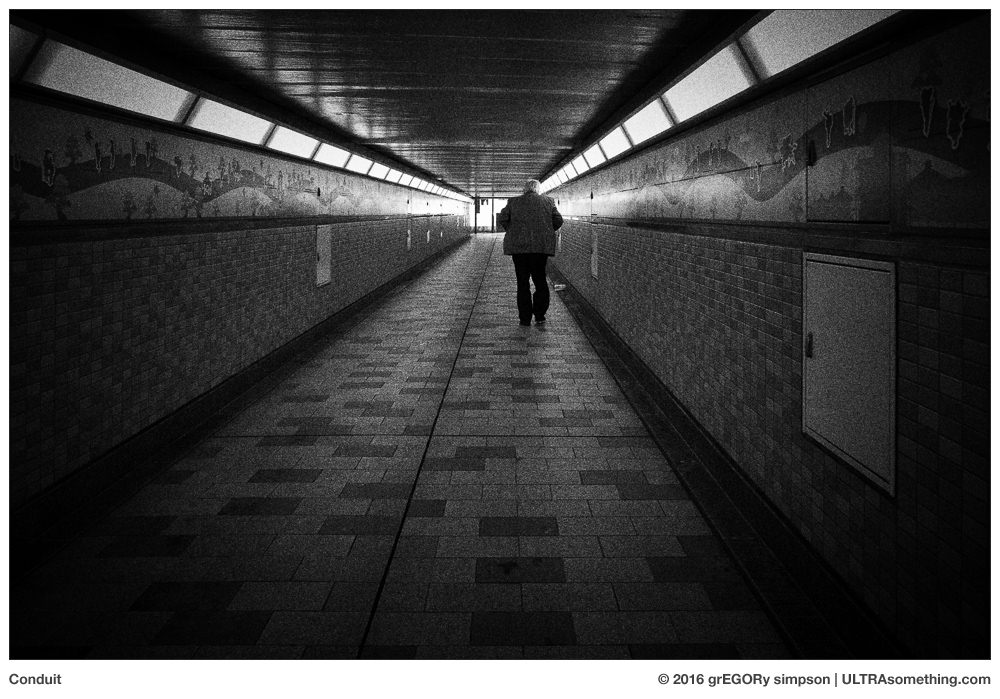
“Conduit” and “Concatenated” were both shot with a Ricoh GR digital camera, and were selected for publication purely due to their metaphorical significance.
REMINDER: If you find these photos enjoyable or the articles beneficial, please consider making a DONATION to this site’s continuing evolution. As you’ve likely realized, ULTRAsomething is not an aggregator site — serious time and effort go into developing the original content contained within these virtual walls.
Many years back, while working an architectural photography gig, I noticed a fellow who appeared keenly interested, yet overtly resentful of my presence. After the shoot, he strolled up and introduced himself. He told me that he’d once been an avid photographer, but had recently lost all interest in it. I feigned curiosity in his tale — story arcs such as his are common, and I was rather certain his would follow a similar trajectory. As a hobby, photography’s instant gratification and accelerated learning curve makes it particularly enticing to people hoping to unlock their inner artist. But once the fledgling fervor fades and the credit card cools off, what they really discover is that photography — just like any art form — requires personal vision and dogged determination. Over the years, I’ve seen many a passionate photographer’s dreams disappear in a final puff of ennui.
His story, however, did not conclude with the usual admission of inspirational malaise, but with brazen bravado. He quit photography, he said, because he’d “learned the secret to being a great photographer,” and thus no longer felt inspired to take photos.
It was at this point that I ceased feigning interest and became genuinely attentive.
“You found the secret to photography?” I asked, somewhat incredulously.
“Yup. I realized it was all just a trick,” he responded. “Do you know what it is?”
I hadn’t a clue.
“It’s knowing where to put the camera!” he boasted, without waiting for my response. He glanced furtively over both shoulders then, to insure he wouldn’t be overhead, leaned in closer and added, “There’s only one place to put it, and once you know where that is, there’s nothing special about photography any more. It’s all just a trick.”
Instantly, my mind was awash with more questions than I could process, collate or articulate. Fortunately my new friend — having fully embraced the mentor role — intuited that I was a willing pupil, and happily offered additional explanation.
He told me that if he saw a photograph he knew someone had paid for — sometimes a landscape, but usually an architectural shot — he would go to that same location. Then, using the existing photo as a guide, he would find the exact spot where the original photographer had placed his camera. He would choose a matching focal length, lock the camera to the tripod and take a photo. “When I did this,” he said, “my photos were every bit as good as the pro’s. That’s when I knew it was all a trick.”
“But what makes it a trick?” I asked.
“If you put the camera in the right place, then you get the best shot,” he said. “Once you do that, there’s no difference between your photo and the one they paid for. In fact, they should have just hired me.”
“But the person who took the original photo was the one who had to actually find the right location for the camera,” I replied — amazed I was attempting to make some sort of logical counter-argument to what I thought was his rather irrational one.
“What do you mean?” he asked. “I would put the camera where they put it.”
“Right,” I said. “But they were there first. They didn’t have someone else’s photo to guide them. Their photo was the one that showed you where to put your camera.”
My friend grew agitated by my ignorance. “That’s not the point,” he huffed. “When you learn that there’s only one place to put the camera and you put it there, then you realize there’s nothing to photography. That’s why I don’t do it any more. It’s too easy. There’s no challenge.”
Throughout the ensuing years, this conversation has had a lasting and haunting effect on me. How can anyone so thoroughly fail to distinguish creation from re-creation? And if there is one and only one perfect place to put a camera, then how do you convey different moods? And why does drone photography even exist? Did we all just simultaneously discover that earth-bound camera locations aren’t so “perfect” after all? And what if you take photos of subjects that aren’t static? Anyone can go and stand where Alfred Eisenstaedt stood in August of 1945 — but that doesn’t mean they’ll snag a photo of a sailor kissing a nurse. And what about lighting the scene? Are we to believe the pro architectural photographer used only ambient lighting? Or that two landscape photos would be identical no matter the season, time or weather?
Curiously, each time I reflect on this conversation — and I reflect on it often — I actually grow more forgiving of my long gone but ne’er forgotten friend. In fact, over the years, I’ve come to admire him. Unlike most people, he had obviously embarked on his photographic journey with a mission. He had an end game — to reach a point at which he felt that he was capable of taking a photograph indistinguishable from a professional’s. Once he’d done this, in his mind, he’d “solved” the ultimate photographic challenge. There was nothing else the medium held for him because he viewed photography as a purely technical pursuit.
But in my current, post-commercial guise as a thoughtful and personal photographer, knowing where to put the camera is rather low on my list of concerns — right along with focus, color, sharpness, dynamic range, fidelity and literalness. So how do I measure my progress? What exactly is my end game? There must be some fundamental need that drives me. Some question that, once answered, would cause me to dust off my hands and hang up my cameras for good.
Obviously, I’m on some sort of path — as meandering as it might be. So where does it lead? Pausing to survey my present position, I discovered familiar surroundings — tell-tale indications that every creative journey I’d ever taken, regardless of the actual media, had followed a similar course. The simple fact is, the better I get at doing something that I care about, the fewer the number of people who actually appreciate it. My favourite ULTRAsomething articles will inevitably be inversely proportional to the number of people who read them. Friends who once asked me to “play something” on a musical instrument eventually altered their requests to “play something people might like.” My own wife, who used to say “you’re the photographer, you take the photos” now uses her iPhone to take the photos herself — because, as she said, she “knows how to take pictures that people like.”
No matter what I do, my goal is always the same — to improve. But unlike many people who seek to improve through external guidance or approval, I look within — for ways to push beyond the trite and expected; for untapped thoughts and unexplored avenues. If someone is well and truly guided by personal vision, then what could be a greater indicator of success than achieving a vision so personal, so unique, that the creator — and only the creator — could actually appreciate it?
And thus, my ultimate goal became obvious: to one day take a photograph that I — and only I — admired.
Now it’s important to note that this is not the same thing as taking a photograph no one admires. That’s something we’re all capable of accomplishing on a regular basis. Rather, I’m hoping to reach that point where only one person in the entire world is enamoured with a particular photo — and that one person is me. In doing this, I will have achieved the ultimate expression of personal vision, and my journey can finally end.
Thankfully, I have demonstrable evidence of my declining popularity, and thus know I’m getting closer to the end each and every year. Alas, there are still some people who claim to like what I do — so the finish line remains somewhere beyond the horizon. But at least I’m no longer exploring photography willy-nilly and without direction. Like my old mentor, I now have an end game.
“One of Those Awkward Moments” and “A Poke In The Eye” were both shot with a Leica M Monochrom (Type 246), fronted with a Leica 21mm f/3.4 Super-Elmar-M lens. “Scramble!” was shot with a Widelux F7 panoramic film camera on Kodak Tri-X, exposed at ISO 400 and developed in HC-110 Dilution H.
REMINDER: If you find these photos enjoyable or the articles beneficial, please consider making a DONATION to this site’s continuing evolution. As you’ve likely realized, ULTRAsomething is not an aggregator site — serious time and effort go into developing the original content contained within these virtual walls.